 Camipack
Guide · 3 steps · 1 min
Budget & expenses
Camipack 1.142iPhoneUpdated 24 Oct 2026
Track what the trip costs as you plan and as you go. Each expense keeps its own currency — pay for a hotel in euros and a museum in pounds, and the totals still add up in one place.
- 1
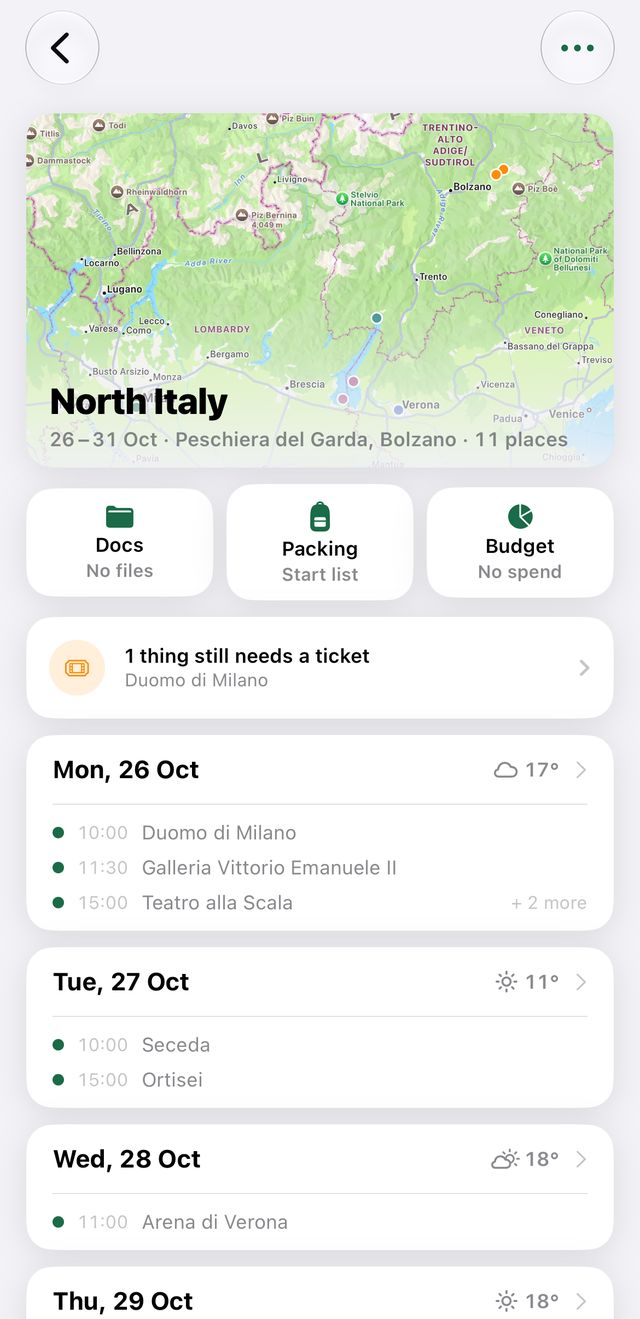
Open a trip and tap “Budget” — the last of the three buttons under the map.
- 2
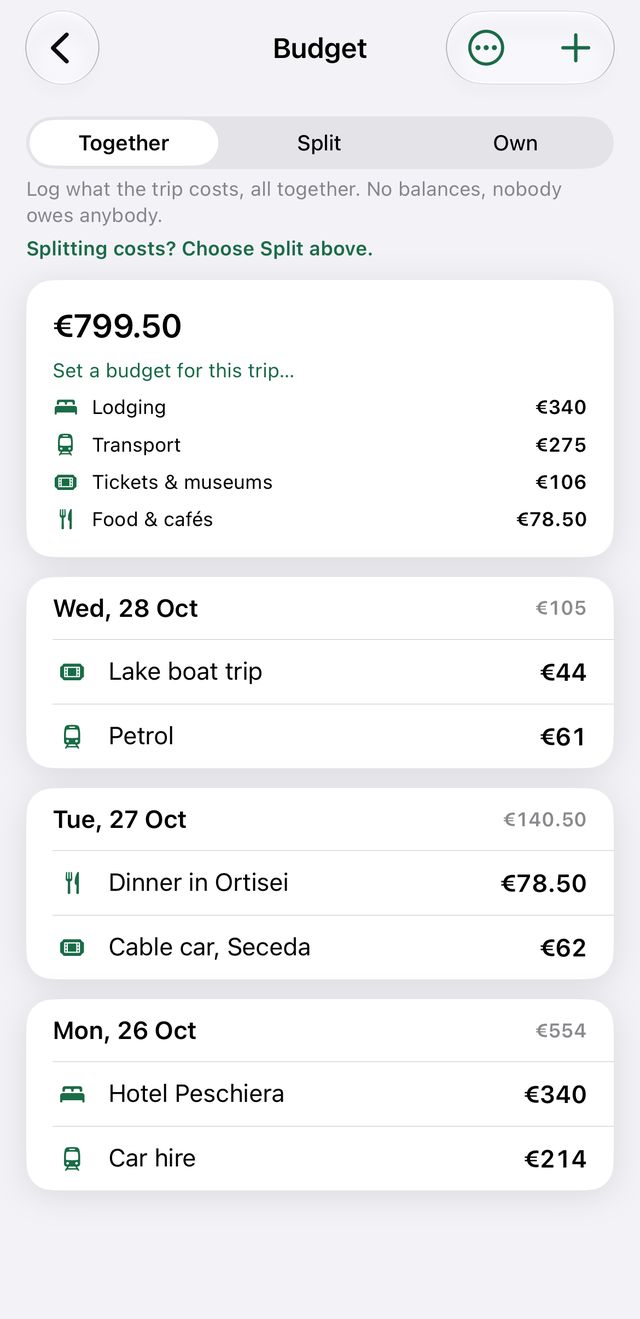
Tap + to add an expense with its amount and category.
- 3
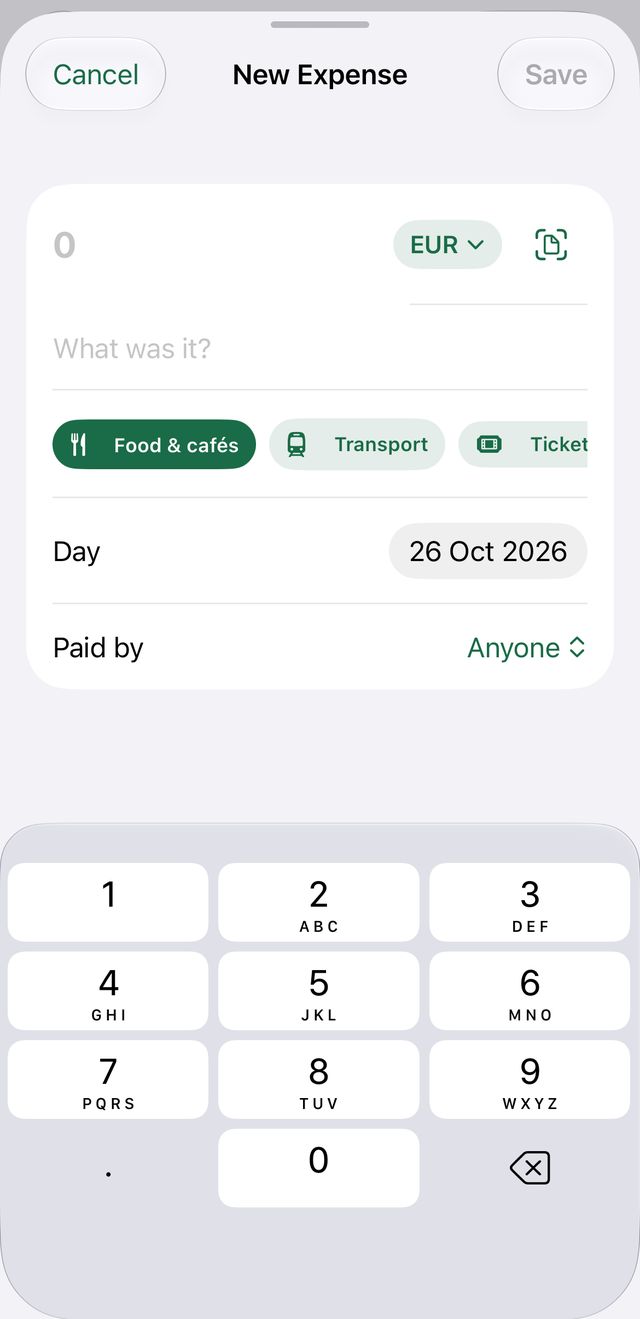
Pick the currency right in the add screen — every expense can use a different one.